Guest AI assistant
Help guests find arrival, amenities, and check-out details instantly, in their language — without repetitive back-and-forth.
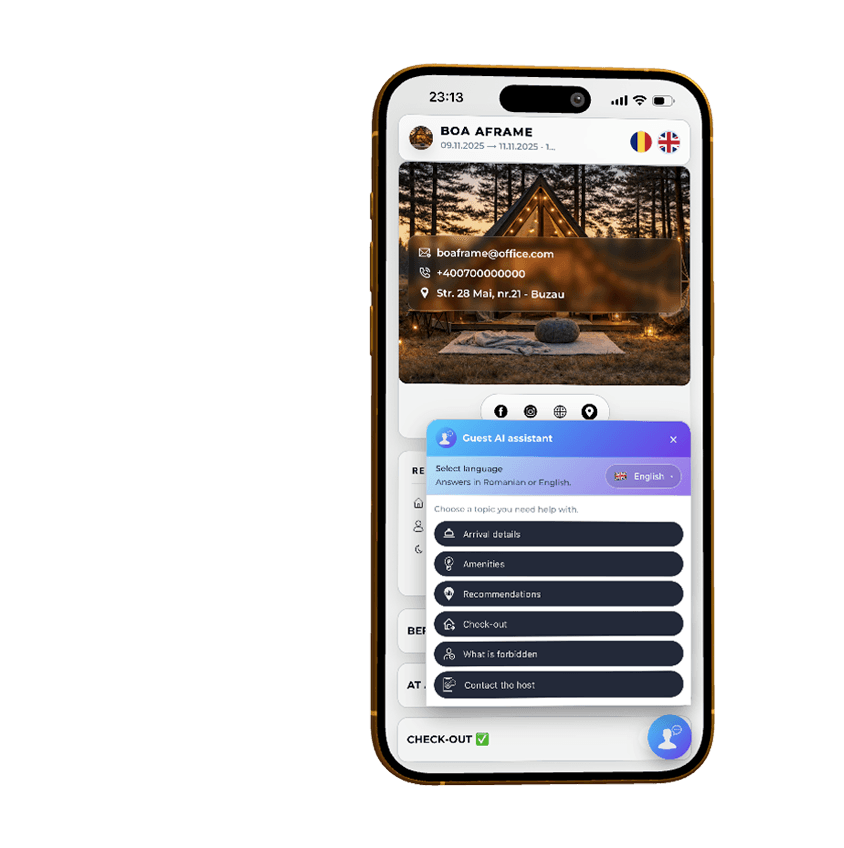

What it is
Guest AI assistant is a floating, language-aware helper shown in the guest portal. Instead of typing long questions, guests tap menus like Arrival details, Amenities, Extras, or Check-out and receive short, clear answers.
It uses the information you already manage in Plan4Host: reservation messages, your House Rules PDF, and the “house rules for AI” text curated in Check-in Editor.
What it can answer
- Arrival details: parking, access codes, how to enter, and check-in time.
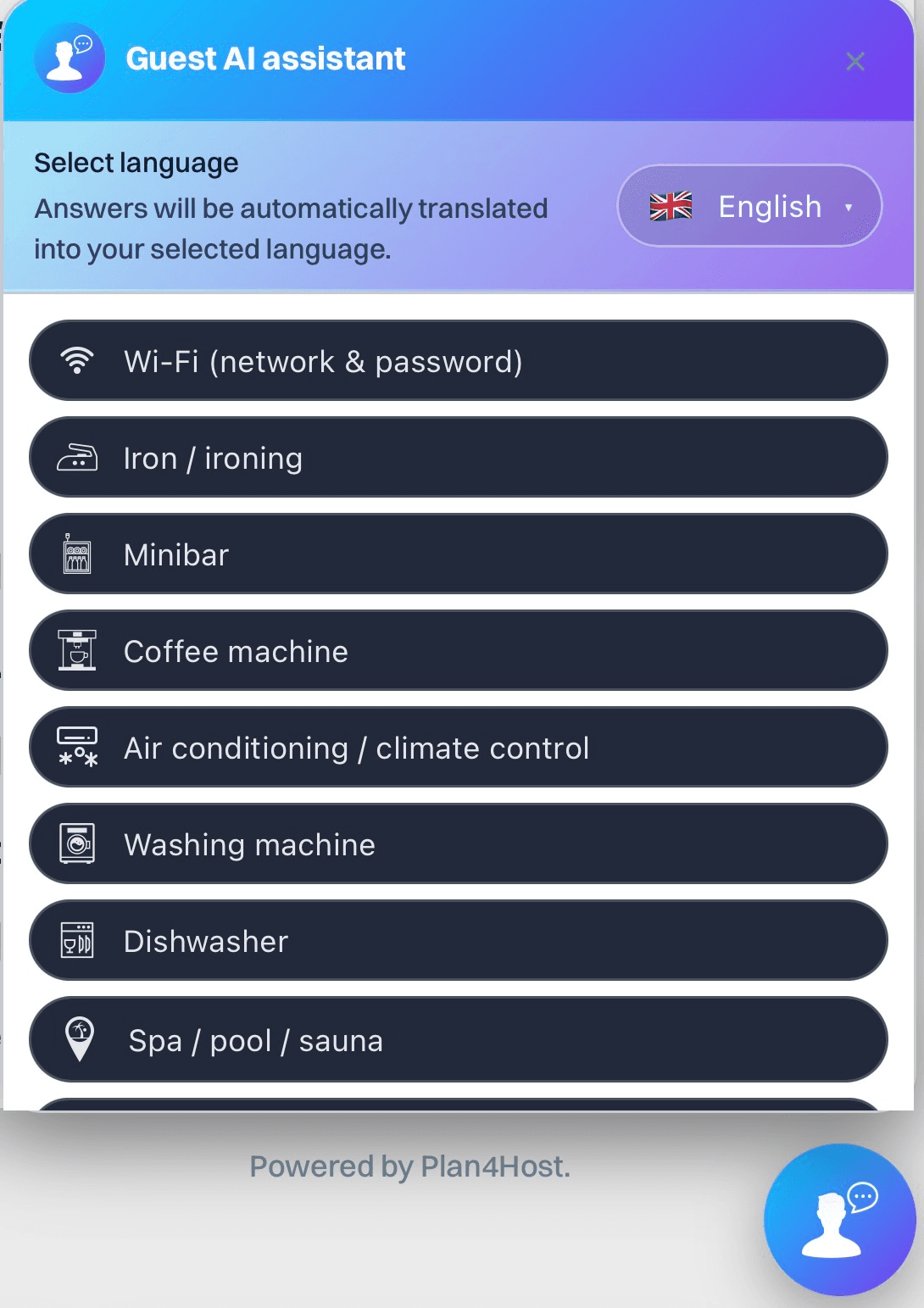
- Amenities: Wi-Fi, coffee machine, AC, washing machine, dishwasher, minibar, and more.
- Recommendations: what to visit and where to eat (only when you mentioned it in your content).
- Check-out: check-out time and instructions (keys, doors, trash) when you defined them.
Every answer ends with a clear “contact the host” option, so guests can always reach you directly.
Where the assistant gets its information
Guest AI assistant does not guess. It can only use what you already provided:
- Reservation messages (RO/EN) shown on the guest portal.
- House Rules PDF uploaded in Check-in Editor.
- AI-ready house rules saved after “Read & prepare text for AI”.
If something is missing or unclear, it says so and invites the guest to contact you — instead of making anything up.
See it in action
Amenities menu
Guests tap Wi-Fi, coffee machine, AC and other options instead of typing long questions.
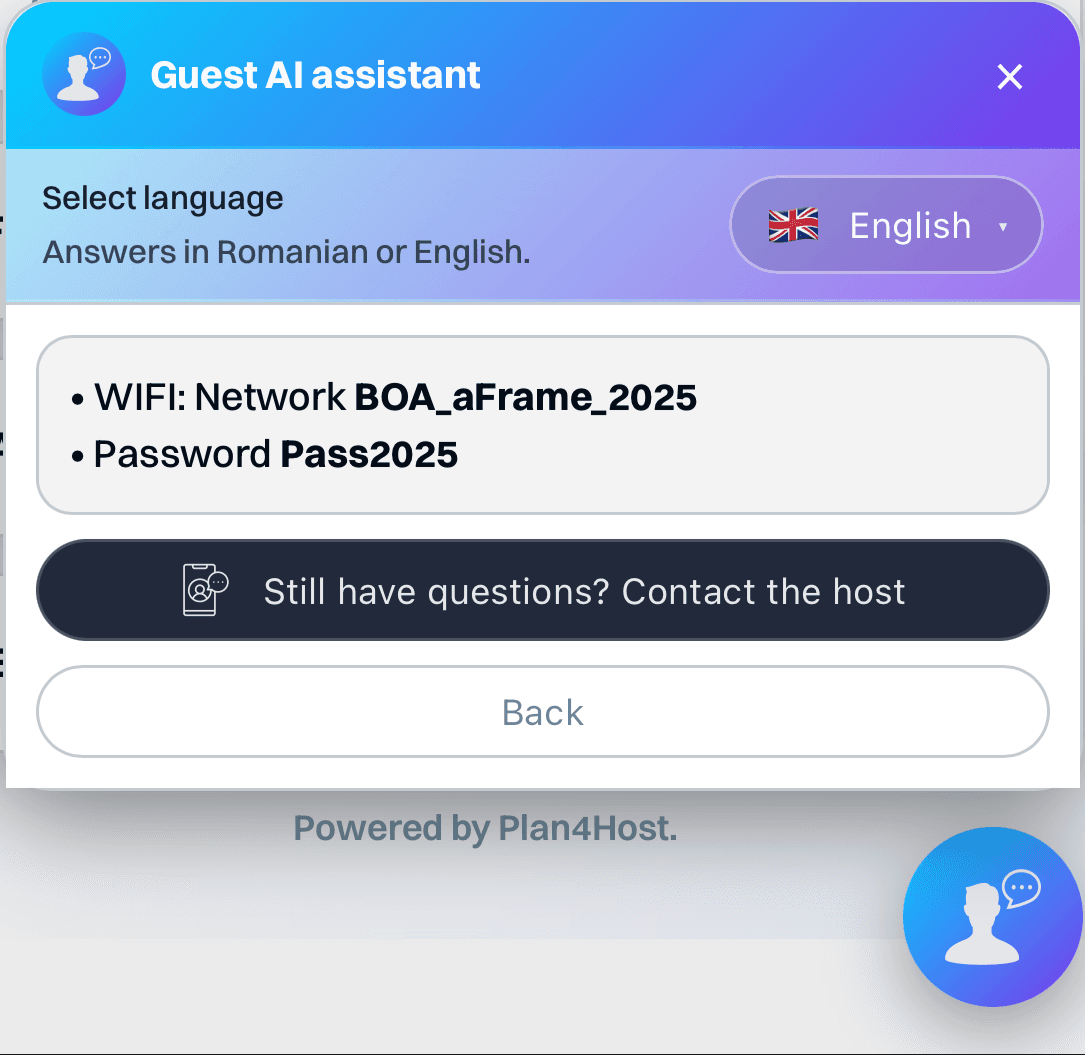
Wi-Fi answer example
The assistant combines the network name (SSID) and password you wrote, and returns one clear answer — without inventing credentials.
Safety: no invented codes or passwords
We instruct the assistant to never invent or modify sensitive details:
- no made-up access codes or lockbox combinations
- no invented Wi-Fi names or passwords
- no fake phone numbers, addresses, or check-in/out times
How to enable it
- Upload your House Rules PDF in Check-in Editor.
- Use Read & prepare text for AI, then remove any codes, passwords, or private links you don’t want to share.
- Save the text as “House rules for AI”. The assistant will use it together with your reservation messages.
- Guests will see the assistant inside their guest portal.
Guest AI assistant for hosts who want fewer repetitive questions
Available on Premium. Activate it to reduce repetitive guest questions and keep arrival, amenities and check-out answers easier to find before guests contact you.
No extra inboxes · Clearer answers · Better guest experience